Make Weekly OpenAir Time Entry Feel A Lot Less Manual
The free version turns calendar CSV exports into a cleaner OpenAir review-and-fill workflow. The paid version layers on direct calendar imports, reusable templates, and team-friendly automation so organizations can cut down weekly timesheet effort at scale.
Two Versions, One Goal
Both versions are built to reduce repetitive OpenAir entry. The free version is perfect for CSV-based weekly use. The paid version is aimed at heavier personal workflows and team rollouts.
Best For CSV-Based Weekly Use
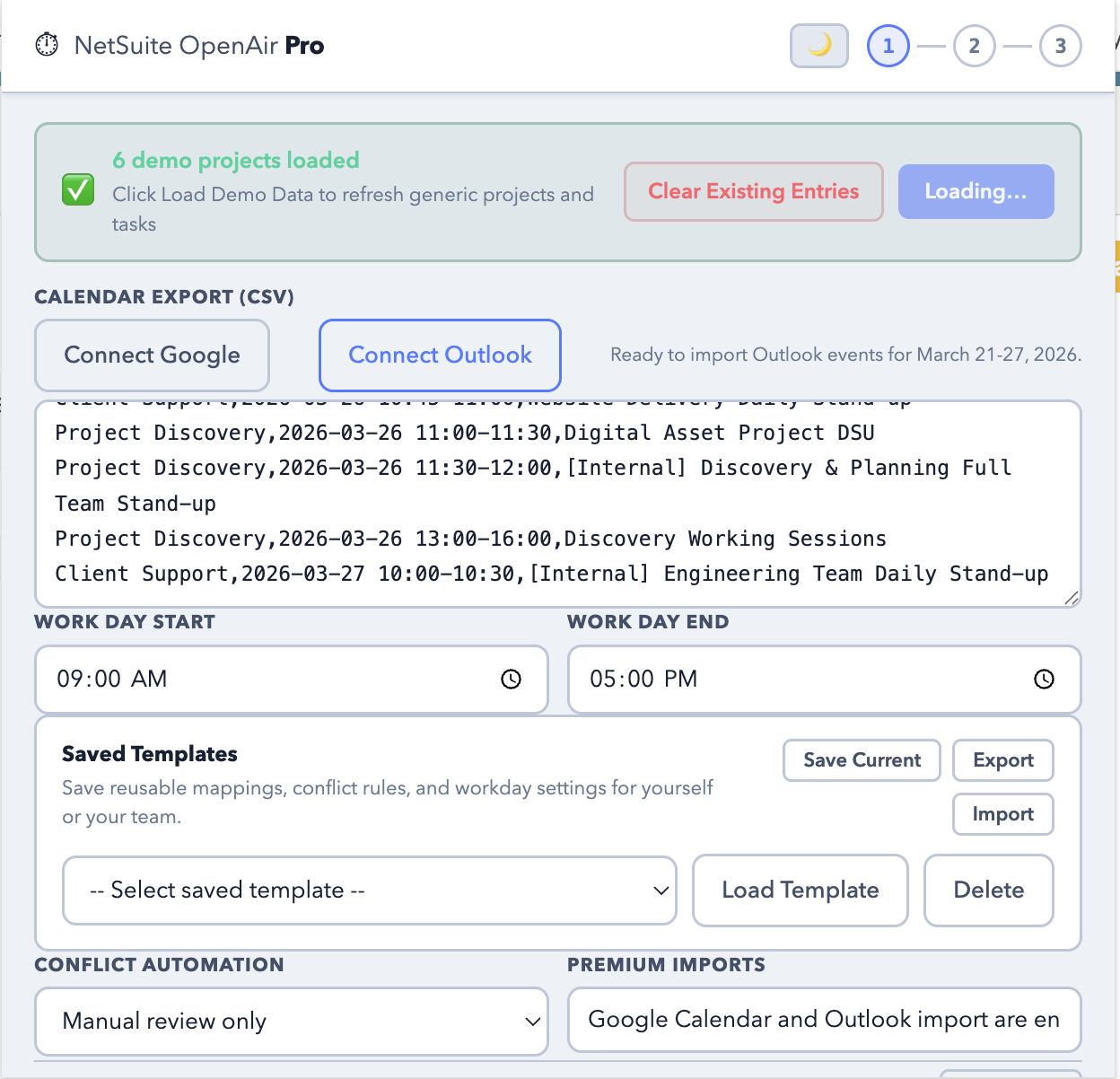
Use the free extension when you already export calendar data to CSV and want a faster way to scan projects, map categories, preview the plan, and fill the current OpenAir week.
- Scan Page to load projects and tasks
- Paste calendar CSV data
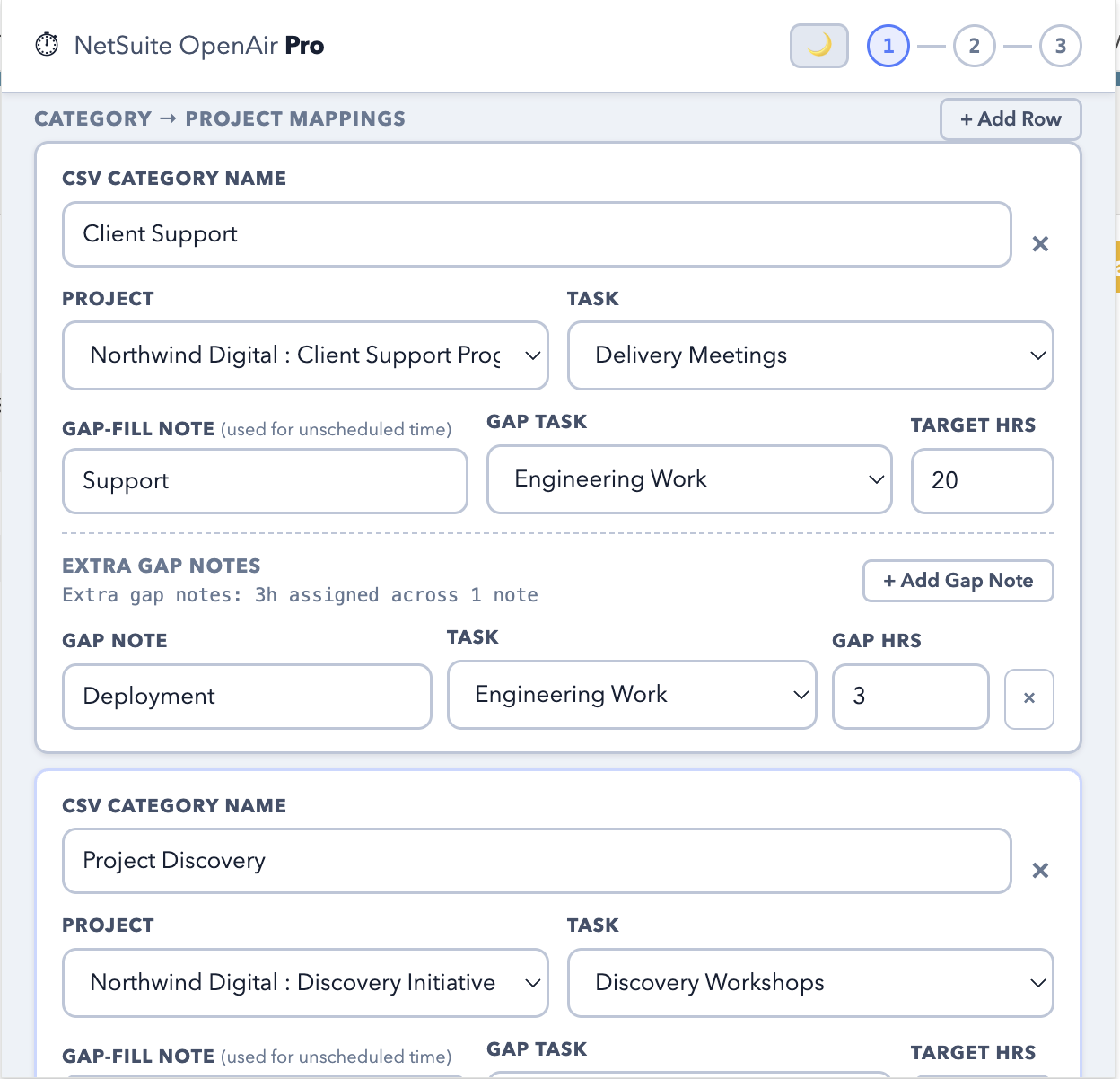
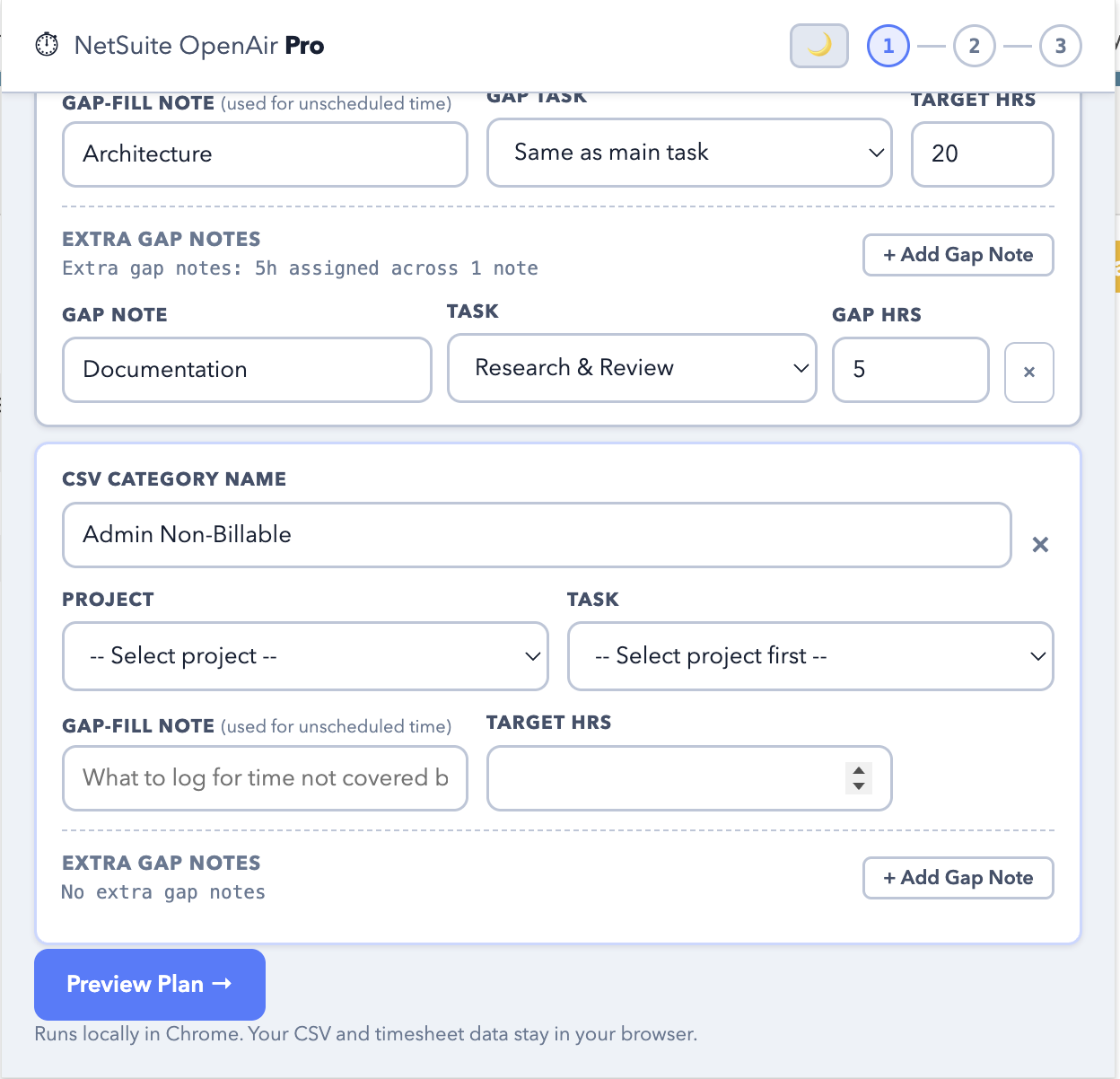
- Map categories to project and task
- Review conflicts and flagged rows
- Fill Only, Fill + Save, or Fill + Save & Submit
Best For Power Users And Teams
The paid version is designed for people and organizations that want less manual setup each week and more repeatable workflows across recurring projects and teams.
- Everything in Free
- Direct Google and Outlook calendar import
- Reusable templates and saved setups
- Advanced conflict rules and premium workflow controls
- Stronger fit for team rollout and standardized submission
Focused, Useful, And Easy To Explain
The free version does one thing well: it takes a CSV-based calendar export and helps you turn it into an OpenAir timesheet with less clicking and less cleanup.
Scan The Active Timesheet
Read the available projects and tasks from the page you already have open so mappings stay grounded in the real week you are filling.
Map Categories Once
Turn calendar CSV categories into the right project and task combinations, then reuse those saved mappings again next week.
Review Before Anything Is Written
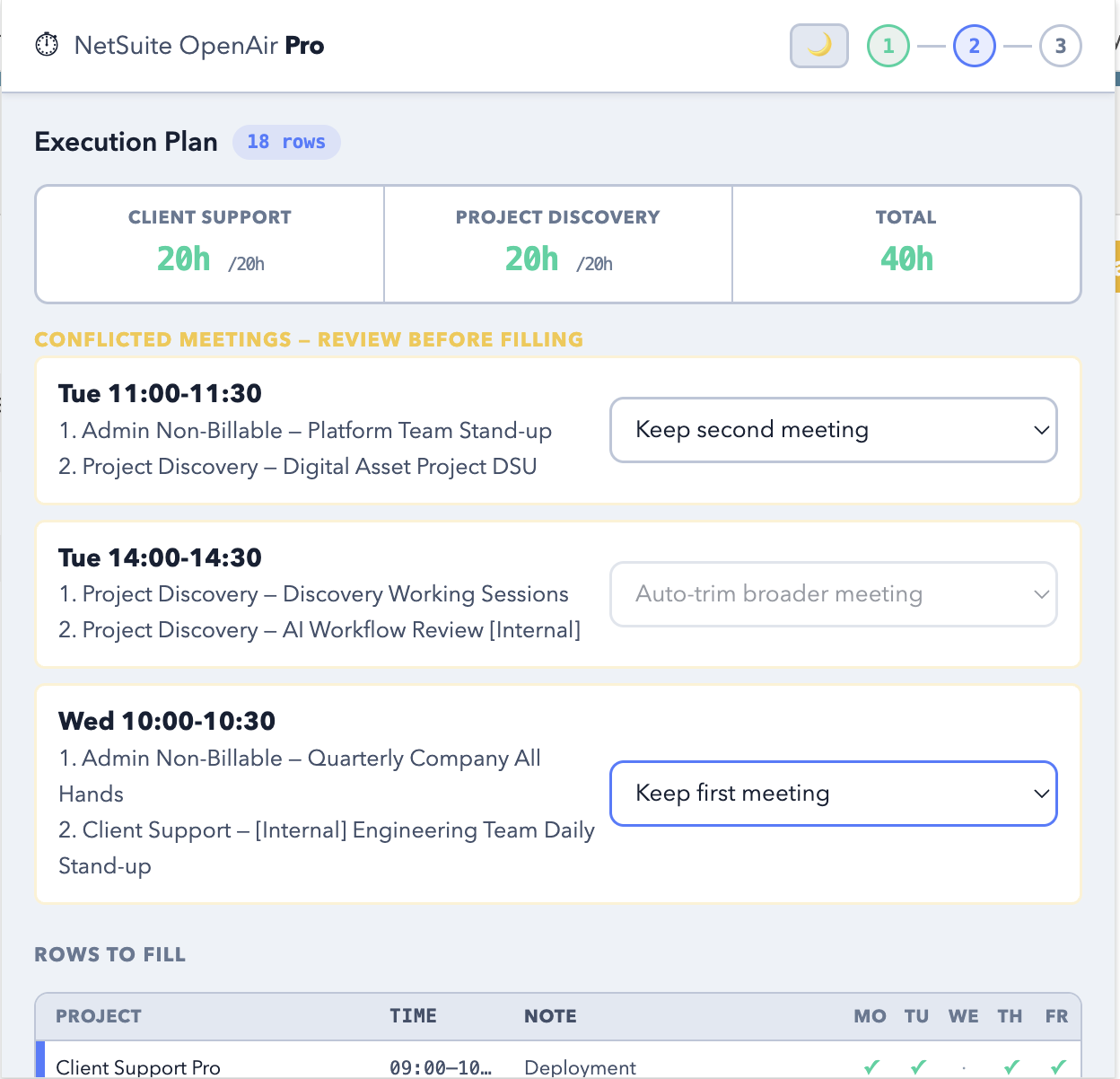
Preview rows, catch conflicts, and resolve unrecognized entries before the extension fills or clears anything inside OpenAir.
Dark And Light Mode
Switch between dark and light themes inside the extension popup. Your preference is saved locally in Chrome for the next session.
Time Savings Add Up Fast
OpenAir time entry is not just an individual nuisance. Across a team, even a small reduction in weekly effort can add up to dozens of hours saved every month.
100 employees spending 30 minutes each week on timesheets adds up to about 50 hours every week.
If that workflow drops to 2 minutes each, the same 100-person group spends only about 3.3 hours per week.
That is roughly 46.7 hours saved every week, before counting fewer errors, fewer rebuilds, and less context-switching.
A Better Weekly Routine
The workflow is intentionally simple: scan, map, review, and fill. No extra dashboards, no external service setup, and no separate login.
Start With The Real Page
- Open the NetSuite OpenAir or SuiteProjects Pro timesheet page.
- Click Scan Page to load current projects and tasks.
- Use Clear Existing Entries if the week needs a reset.
Paste The CSV Export
- Paste the calendar export directly into the extension popup.
- Set workday start and end time to match your schedule.
- Save mappings locally in Chrome for the next week.
Preview The Plan
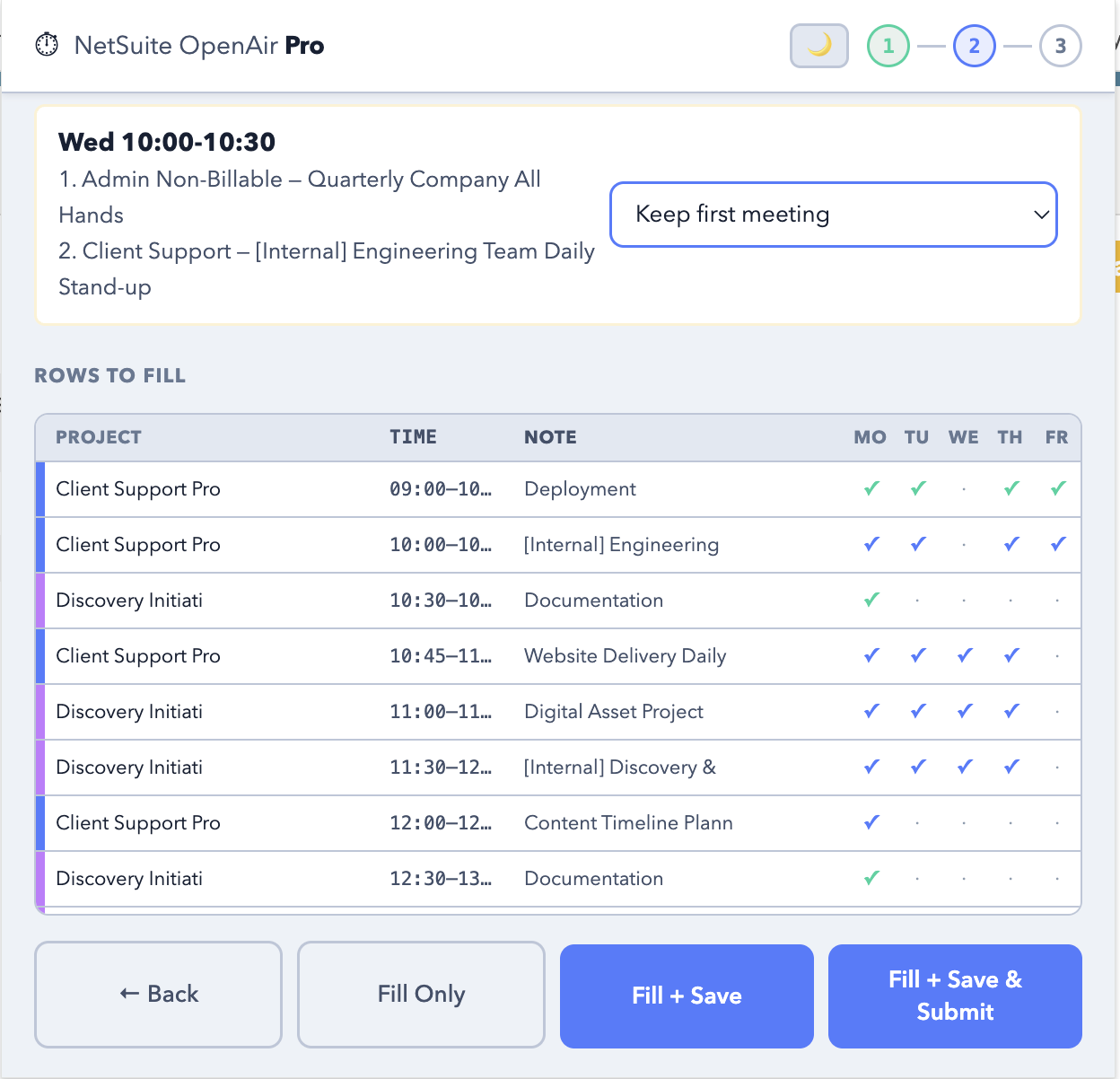
- Review total hours before filling.
- Resolve conflicting meetings.
- Assign flagged rows where project or task is still missing.
Choose The Final Action
- Fill Only when you want a manual final review.
- Use Fill + Save or Fill + Save & Submit when you are ready.
- Watch the progress step as the timesheet is completed.
If you spend the end of every week reconstructing your time from calendar exports, status meetings, and half-remembered work blocks, this extension is meant to cut that routine down to a clearer review-and-fill pass. The same workflow becomes even more valuable when a delivery org wants consistency across dozens of people.
What The Review Step Looks Like
You can replace this section with real screenshots later, but it already works as a clean visual explanation for Chrome Web Store homepage and official URL fields.
1. Admin Non-Billable - Platform Team Stand-up
2. Project Discovery - Digital Asset Project DSU